
Edit videos by
selecting text.
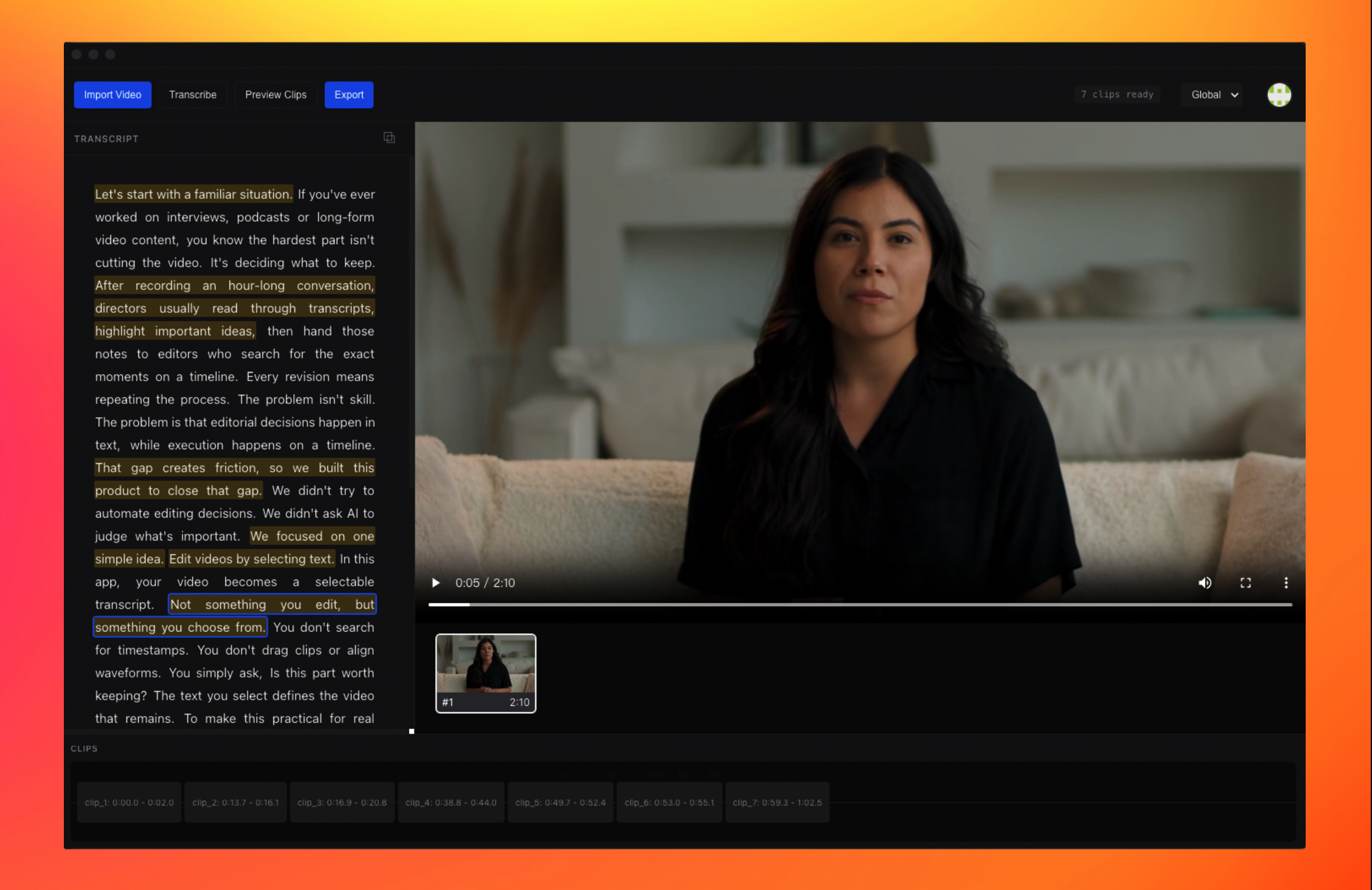
Turn long interviews into selectable transcripts. Choose what matters, preview clips, and export videos — without touching the timeline.
Long interviews shouldn't slow you down.
Hours-long recordings no longer mean hours of waiting. The app automatically splits long audio and processes it in parallel.
No Waiting
Transcripts become selectable sooner — even for very long conversations.
Parallel Processing
Automatic audio splitting handles huge files with ease.
Start Earlier
Editing begins with selection, not processing time.
Video editing without the timeline
Traditional editors force you to find timestamps, drag clips, and align waveforms.Here, the video is mapped to selectable text.
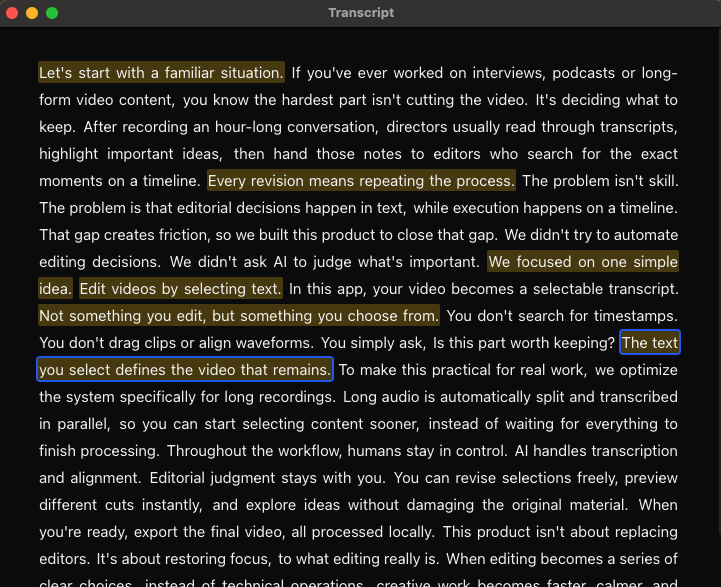
- Text defines videoThe text you select defines the video that remains.
- Inferred TimingTime ranges are inferred automatically.
- Result-drivenThe timeline is a result, not the control surface.
"You focus on choosing content, not operating software."
Directors select content. Editors execute.
Directors and creators don’t need to learn editing tools. They simply read the transcript, select the parts that matter, and adjust selections as ideas evolve.
Selection is preview
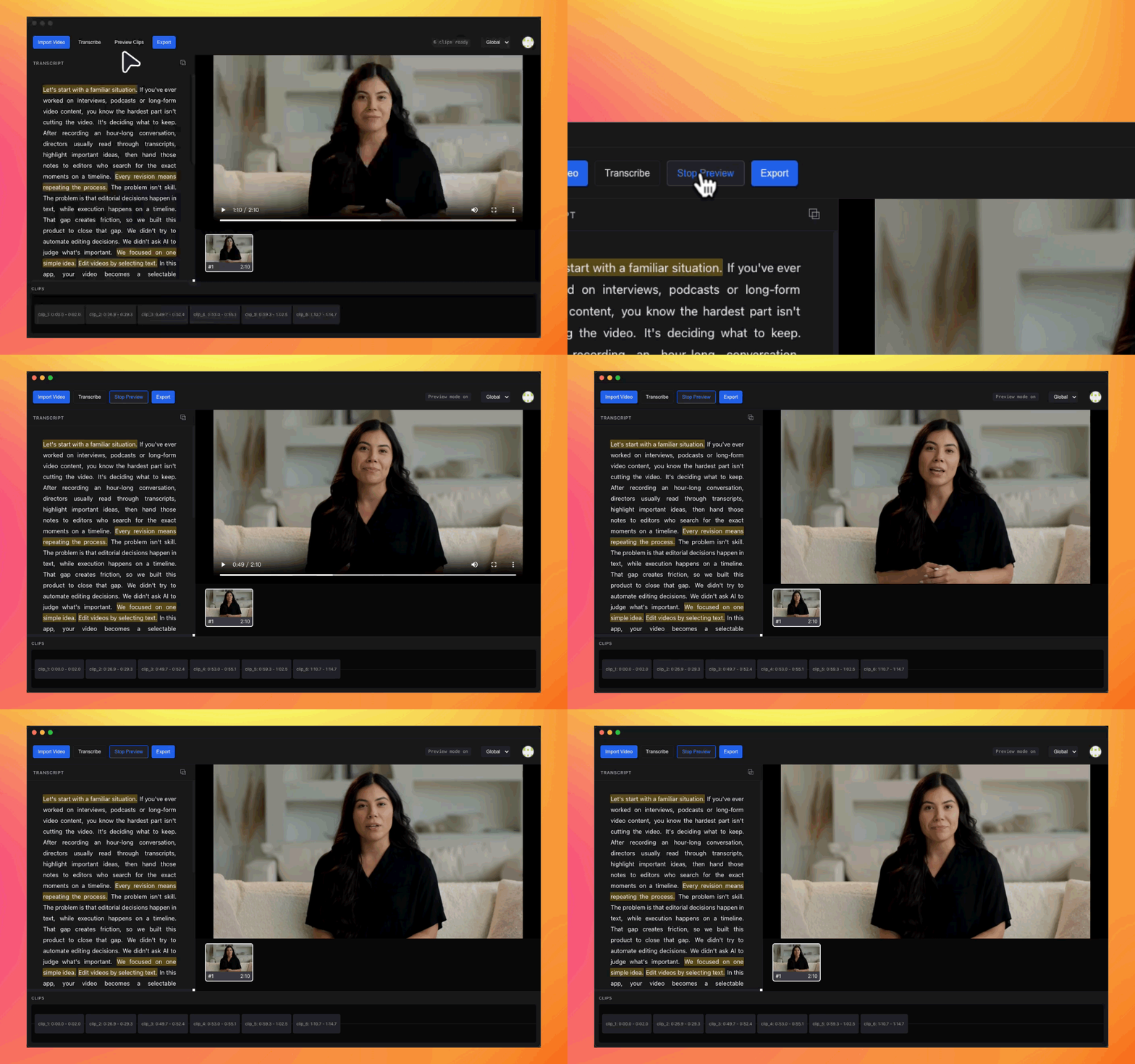
- Select text to preview clips instantly
- Unselected content is automatically skipped
- Expand, shrink, or reorder selections freely
Try different cuts quickly, without re-exporting the video every time.
Clips represent complete thoughts
Clips aren’t cut arbitrarily. The result feels human — not mechanically stitched together.
ASR Segments
Provides natural language boundaries.
Your Selection
You define the core message.
Smooth Merge
The system optimizes the cuts.
Built for real workflows
No uploading large video files. Local preview and export. Cloud used only for transcription.
- Faster
- More Private
- More Reliable
Compared to Traditional Editing
Who it's for
From recording to final video
Five clear steps to turn your interviews into polished content.
Import Video
The original file stays on your machine.
Auto Transcribe
Long audio is split and transcribed in parallel.
Select Content
Choose what to keep directly in the transcript.
Preview Clips
Watch the video play according to your selections.
Export
Precise cutting and stitching happen locally.
FAQ
What is MarkToCut?
It is a desktop application that lets you edit video by selecting text. Instead of scrubbing timelines, you upload long-form footage, and the system aligns spoken words to the video timeline, allowing you to make editing decisions by choosing what was said.
Is this just a transcription tool?
No. Transcription is only the entry point. This product is built for making editing decisions. Once footage is processed, you can mark, preview, revise, and export clips unlimited times without touching a traditional timeline.
How does text-based video editing work?
Each spoken word is aligned to its exact position in the video. When you select text, the corresponding video segment previews instantly. Marked text defines what appears in the final cut, and unmarked text is excluded automatically.
Can I process very long videos?
Yes. Long recordings are automatically split and processed in parallel to ensure stability and performance. It is designed specifically for long-form content like interviews and podcasts.
Do I still need a traditional video editor?
Yes, for final polish. MarkToCut is designed to handle the editorial decision stage faster—finding moments and creating the rough cut. Detailed color grading, visual effects, and sound design should still be done in your NLE.
Are my files stored in the cloud?
No. Video files are never stored permanently in the cloud. They remain on your local device. Only the audio track required for processing is temporarily sent to our secure transcription engine.
How do credits work?
1 credit = 1 minute of original audio processing. Credits are consumed once when raw footage is processed. After that, all editing, previewing, and exporting are free and unlimited.
Turn editing into a series of
clear decisions.
Built for real conversations. Designed for real workflows.
"This is a selection tool, not a text editor."